Part 2: Filters and Allowlist
This part focuses on keeping protection strong while reducing false positives.
1. Understand What Each Engine Does
SafeMode separates detection reasons:
ublock: ad/tracker/noise filteringphishtank: phishing feed hitssecrets_detected: sensitive content leakagesuspicious_patterns: risky JavaScript patterns
This is intentional so operators can triage without ambiguity.
2. Use Filter Center as Your Source-of-Truth
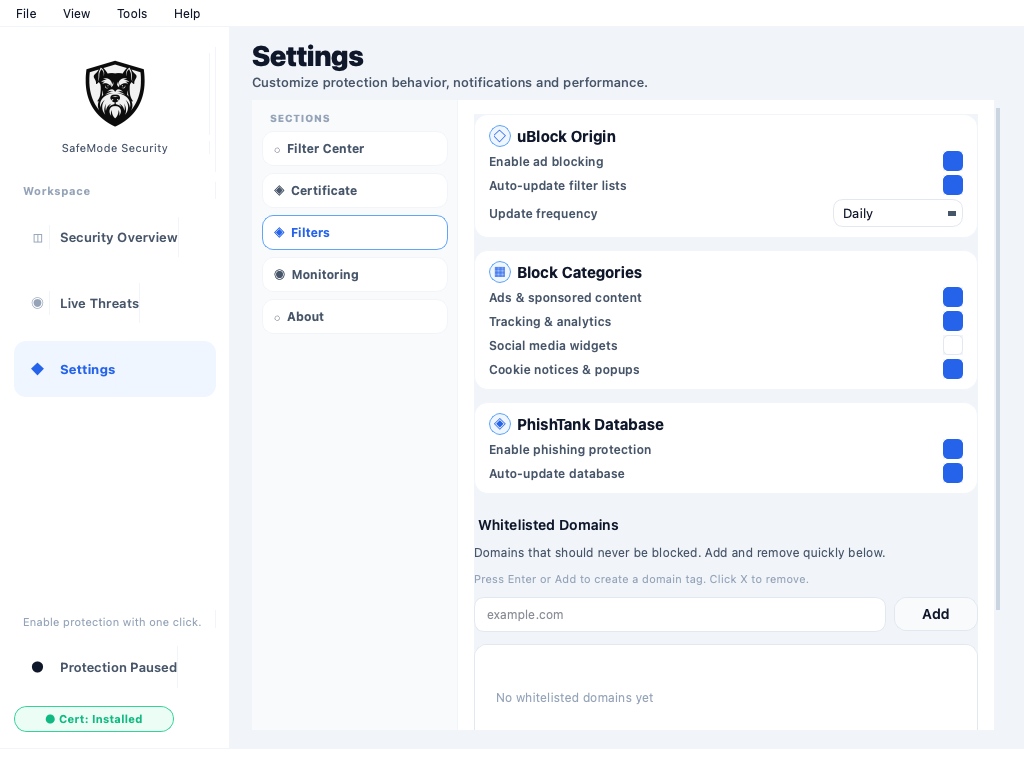
Open Settings > Filter Center and review:
- uBlock rules count
- PhishTank official URLs count
- Phishing.Database URLs count
- per-source last-updated timestamps
If counts are unexpectedly zero, treat as incident.
3. Run Controlled Manual Update
Perform this sequence:
- Click Update all filters.
- Watch progress bars for each source.
- Wait for load-complete status.
- Confirm counts update.
- Re-open Live Threats and validate traffic.
Why this matters:
- updates run on worker threads
- filters reload in memory
- monitor may pause/resume to avoid race conditions
4. Tune Engine Toggles Carefully
Use Settings toggles to isolate behavior:
- ad/tracker path (
uBlock) - phishing path (
PhishTank)
Debug sequence:
- reproduce issue
- disable one engine only
- retest
- re-enable and add targeted exception if needed
Avoid global disable of all protections.
5. Work with Allowlist Safely
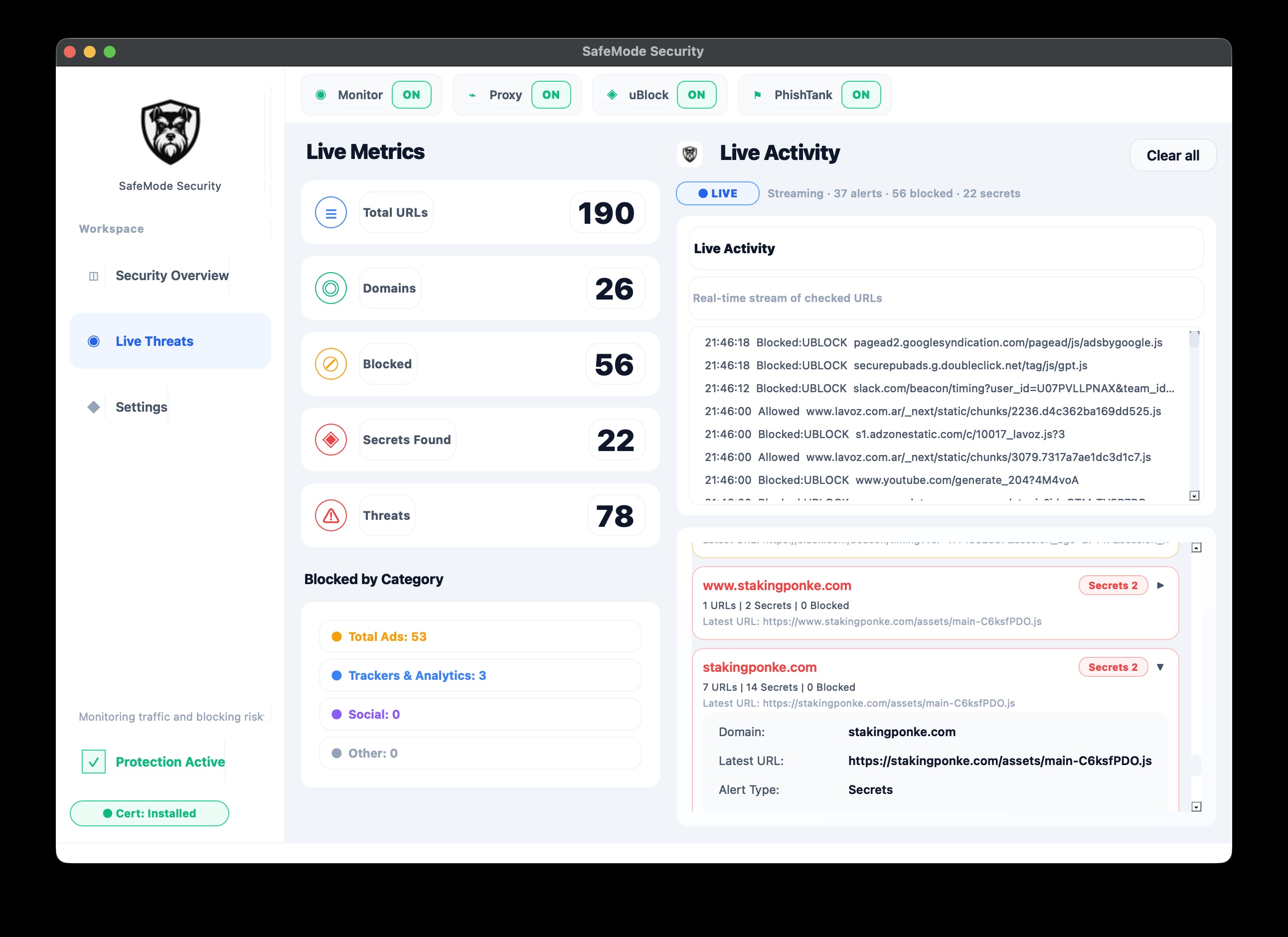
Add from Live Threats
- Expand domain card.
- Click Whitelist Domain.
- Confirm event volume for that domain decreases.
Add from Settings
- Open whitelist controls.
- Add domain tag.
- Save and reload if needed.
If monitor is active, whitelist changes can be propagated to running child process.
6. Understand Built-in Stability Controls
SafeMode already uses curated protection controls:
- trusted/default whitelist domains
- false-positive phishing domain guard list
- skip lists for deep JS analysis on known stable assets
Do not remove these blindly; they exist to prevent breakage and noise.
7. Validate Post-Change Health
After any filter/allowlist change:
- confirm blocked activity still exists on non-allowlisted domains
- confirm business-critical domains load correctly
- confirm phishing alerts still surface when expected
- confirm no severe drop in event telemetry
8. Troubleshooting Pattern
Problem: too many false phishing alerts
- check
phishtank_domain_match_enabled - keep domain match disabled unless required
- verify false-positive domain controls
Problem: legitimate app keeps breaking
- identify specific blocked domain(s)
- whitelist minimally
- keep phishing engine active unless verified safe need
Problem: updates fail intermittently
- retry per source
- keep prior in-memory filters active
- log source and failure window
Next
Continue to Part 3: Daily Operations and Troubleshooting.